Navigation
Navigate directly to a symbol's documentation using a context-sensitive search, or search for a specific symbol by its name.
Contextually Search Symbol Under Caret (F1)
While you don't have any text selected in the code editor, you can place the caret under a symbol and do a context-sensitive search for that symbol. CppSense will examine the symbol and lookup it's database for a known symbol that matches it. If found, it will then navigate to it using the Documentation Browser feature.

Contextually Search Text Selection (F1)
CppSense can also do a context-sensitive search for a selection of text. If a single symbol is found, then just like with the search symbol under caret feature, CppSense will navigate to the symbol. If multiple matches are found, a pop-up menu shows which allows the user to navigate to any of the found symbols.

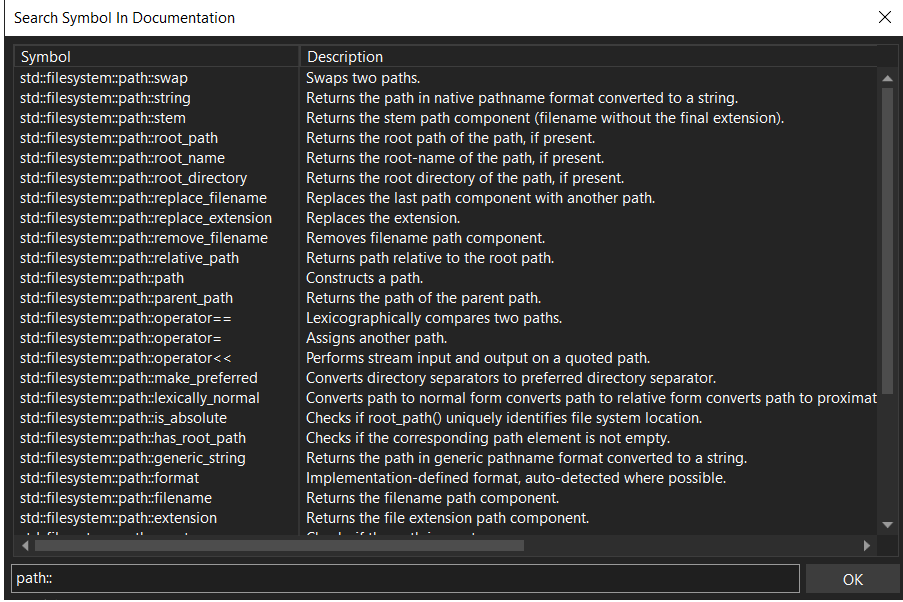
Search Symbol By Name (ALT SHIFT D)
Instantly search for any symbol in the standard library. Find all member functions of a class or all symbols in a namespace. Clicking OK allows you to navigate to any symbol in the window by using the Documentation Browser.