Tooltips
Enhance Visual Studio's tooltips and display standard library documentation as you type or hover over code.
Quick Info
Hover over any symbol in Visual Studio, whether it's a standard library function or a class, and the relevant documentation will appear in the quick info tooltip. CppSense will also preserve links to other symbols in the description, and highlight parameters using the color settings of Visual Studio.

Symbol Links
Symbols in signature declarations (such as argument types) are matched against the docs and turned into links. You can directly navigate to the relevant documentation source with a mouse click. This works both for STL classes & functions, as well as your own functions that use STL arguments.

Exceptions Info
For STL functions, CppSense will also display information about any exceptions the function may throw. These symbols are parsed out from the exceptions section on cppreference.com.
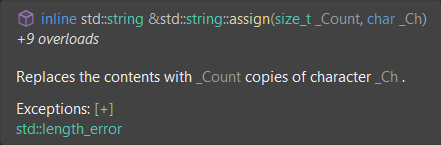
You can also view the full description itself by clicking plus(+) sign.

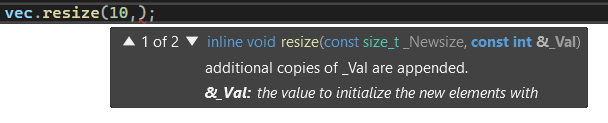
Parameter Info
CppSense extends Visual Studio's parameter info tooltips. This is useful to view information about the current parameter as you type code. Parameters within any documentation texts are renamed to match their source code name, in order to aid in understanding the description.